Independent R&D · MIT open source · live public beta
Color Lab
Independent R&D by Sebastián Ferreyra Pons, featured by Infomerx: MIT open-source live public beta — WebGL2 gamut solids, observer-aware instruments, per-list palette pipelines, and client-side document sharing.
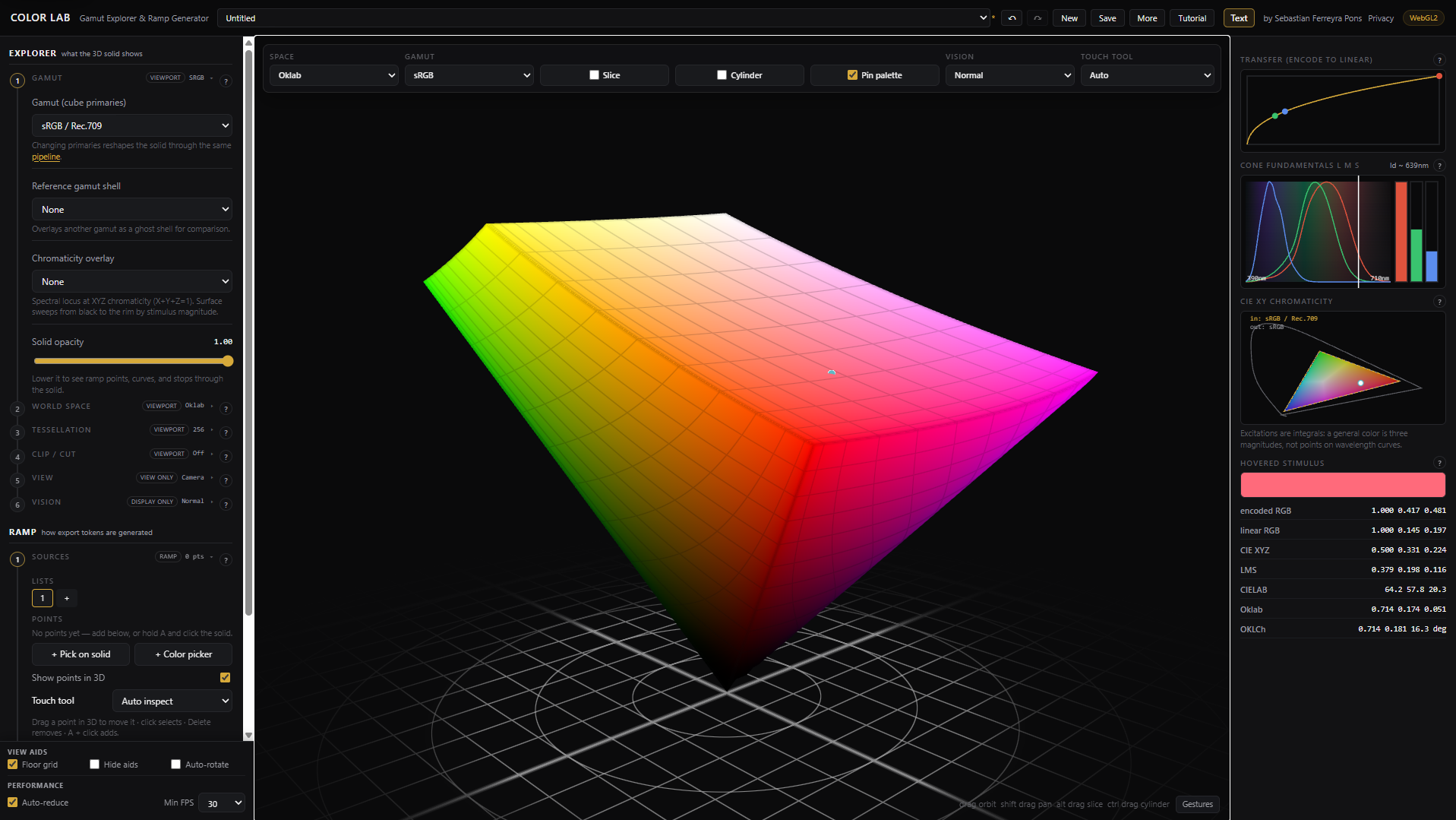
Desktop
Mobile
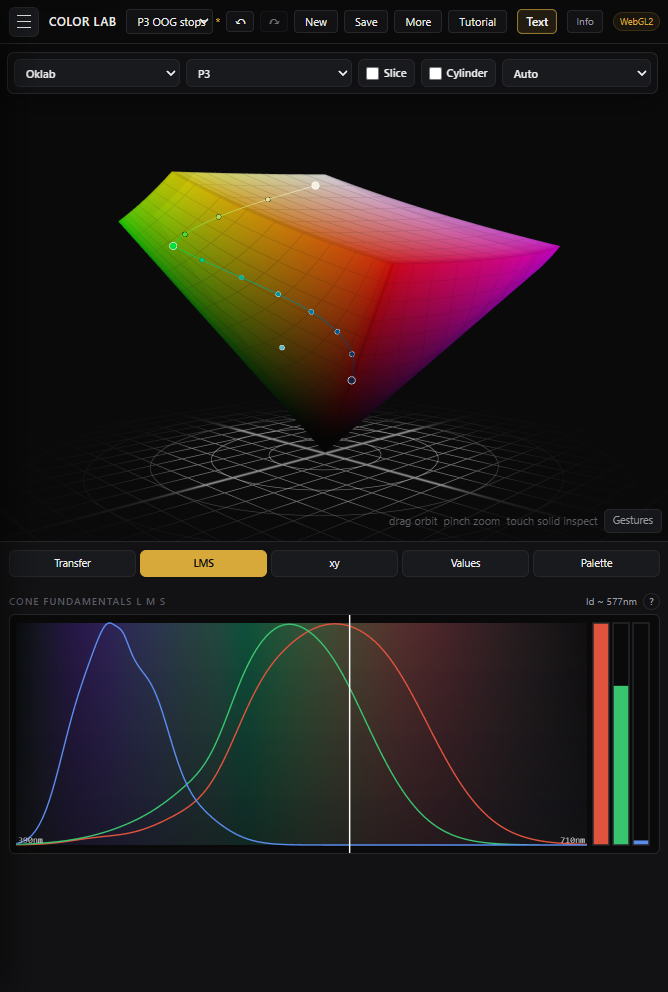
Public tool
Try Color Lab
Color Lab is live at v1.0.0-beta.2 and usable in the browser. It remains an independent project by Sebastián Ferreyra Pons, featured here as an example of advanced browser-native visualization engineering.
Summary
Color Lab is a browser-native color science instrument for exploring RGB gamuts as interactive 3D solids, slicing them with
arbitrary planes, inspecting the stimulus-to-display transform chain, and designing perceptual palette ramps. It is a live public beta on a
Beta → RC → 1.0.0 release track.
This is independent R&D by Sebastián Ferreyra Pons, featured by Infomerx — not a client engagement, commercial SaaS, or Infomerx product. The project is MIT open source on GitHub; the value here is the working system: observer-aware colorimetry, WebGL rendering, per-list ramp pipelines, shareable documents, and teaching UX in one public browser tool.
Technical notes
SvelteKit 2, Svelte 5 runes, TypeScript, WebGL2 / GLSL, canvas instrument panels, Vitest, Node
adapter, and PM2 deployment. Document schema v13 with per-list pipelines;
Save / Share / Import via validated snapshots in browser localStorage.
Challenge
Most browser color tools flatten color into sliders, swatches, or 2D pickers. That hides the shape of the gamut, the active transfer curve, the chosen interpolation space, the active observer model, and the point where a palette leaves displayable range. Color Lab makes those relationships visible and interactive.
Technical notes
The hard problem is consistency under interaction: renderer, picker, inspector, ramp preview, export values, saved documents, and accessibility simulation all need to agree while the user changes gamut, space, slice, observer, source list, or per-list pipeline setting.
Approach
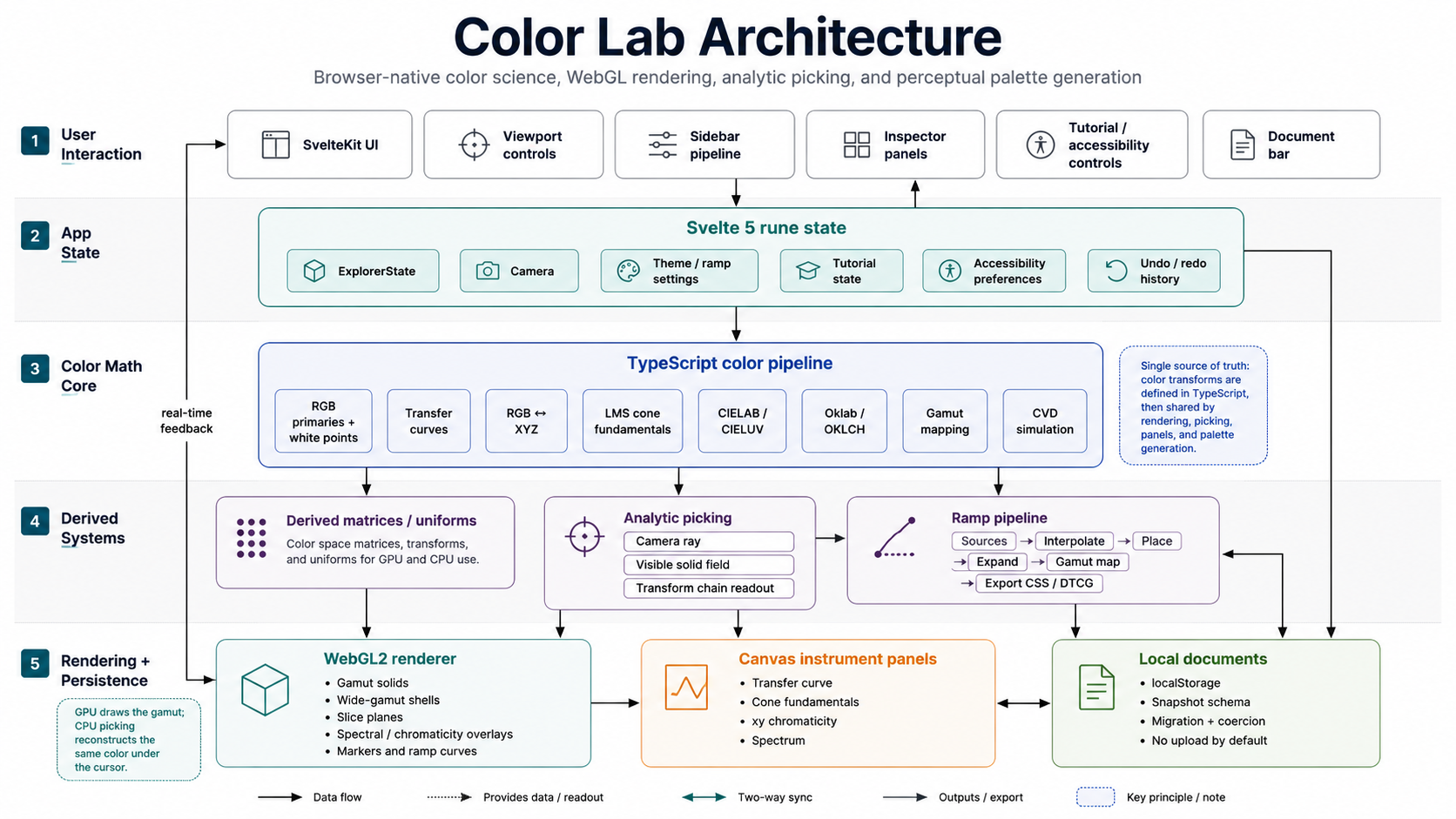
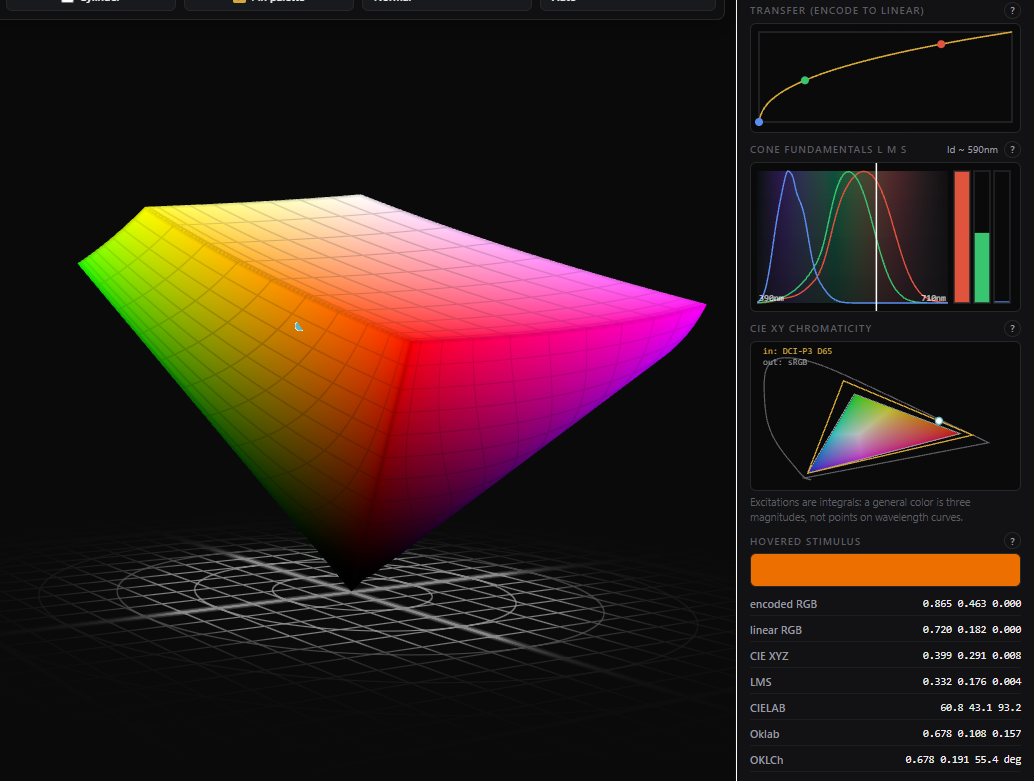
The app treats color spaces as explorable geometry. A TypeScript color core defines primaries, white points, transfer curves, RGB↔XYZ matrices, Bradford chromatic adaptation, LMS cone fits, CIELAB, Oklab, gamut mapping, and color-vision simulation. Derived matrices feed both the WebGL renderer and CPU-side picking, so hover readouts match what is drawn.
Technical notes
The renderer draws the gamut; analytic picking reconstructs the same color under the cursor
without framebuffer readback. A pipeline rail and per-list ramp stages make
multi-ramp documents inspectable; Save / Share / Import round-trip full snapshots through parseSnapshot.
Architecture
- Color math — pure TypeScript functions for matrices, transfer curves, gamuts, Lab/Oklab, LMS, Bradford CAT, gamut mapping, and CVD simulation; observer and chromaticity registries.
- Engine state — Svelte rune state, camera math, slice planes, picking,
per-list
ListPipelinesettings (schema v13), theme ramp generation, and named undo/redo snapshots. - Renderer — WebGL2 programs for gamut solids, shells, slice overlays, spectral/chromaticity aids, dynamic observer matrices, markers, floor grid, and ramp curves.
- Documents — named snapshots in
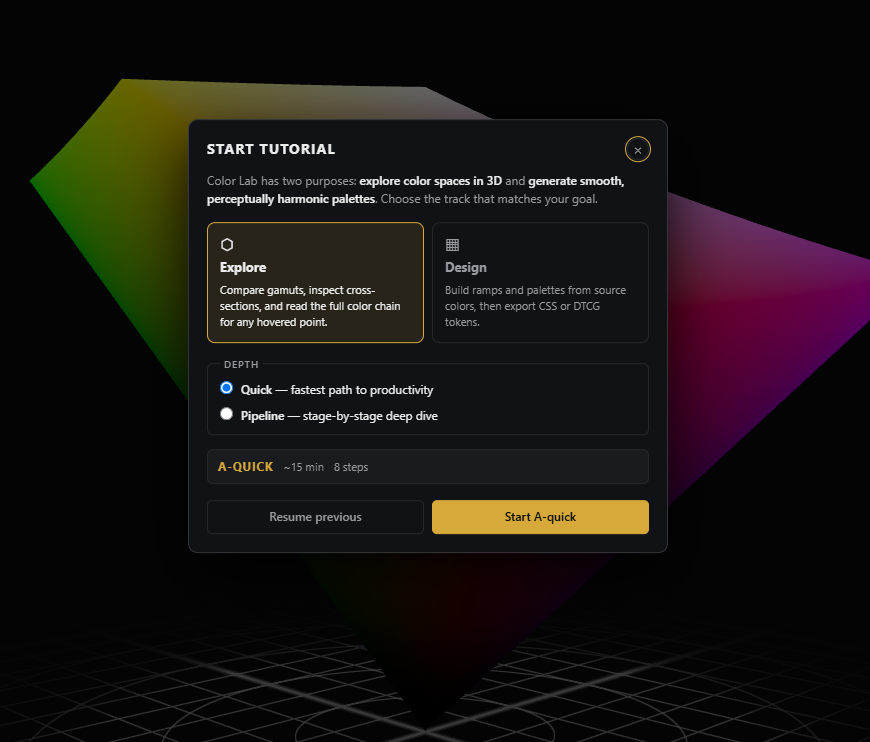
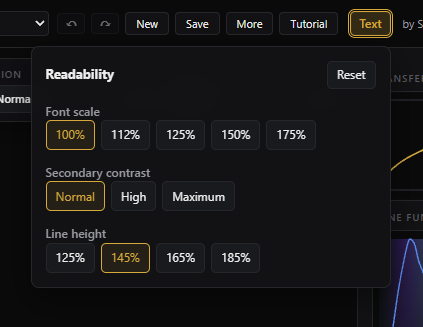
localStorage; Save / Share / Import via schema detection, migration, coercion, and tests. - Learning surface — pipeline rail, tutorial lanes, help popovers, examples, light/dark theme, mobile layout, keyboard reference, and readability controls.
Key technical highlights
- 3D gamut exploration across sRGB, P3, Rec.2020, NTSC, EBU, SMPTE-C, and CIE RGB.
- Observer-aware colorimetry — 32 observer datasets; dynamic LMS matrices; opponent-plane and MacLeod-Boynton views; Bradford CAT for non-D65 gamuts.
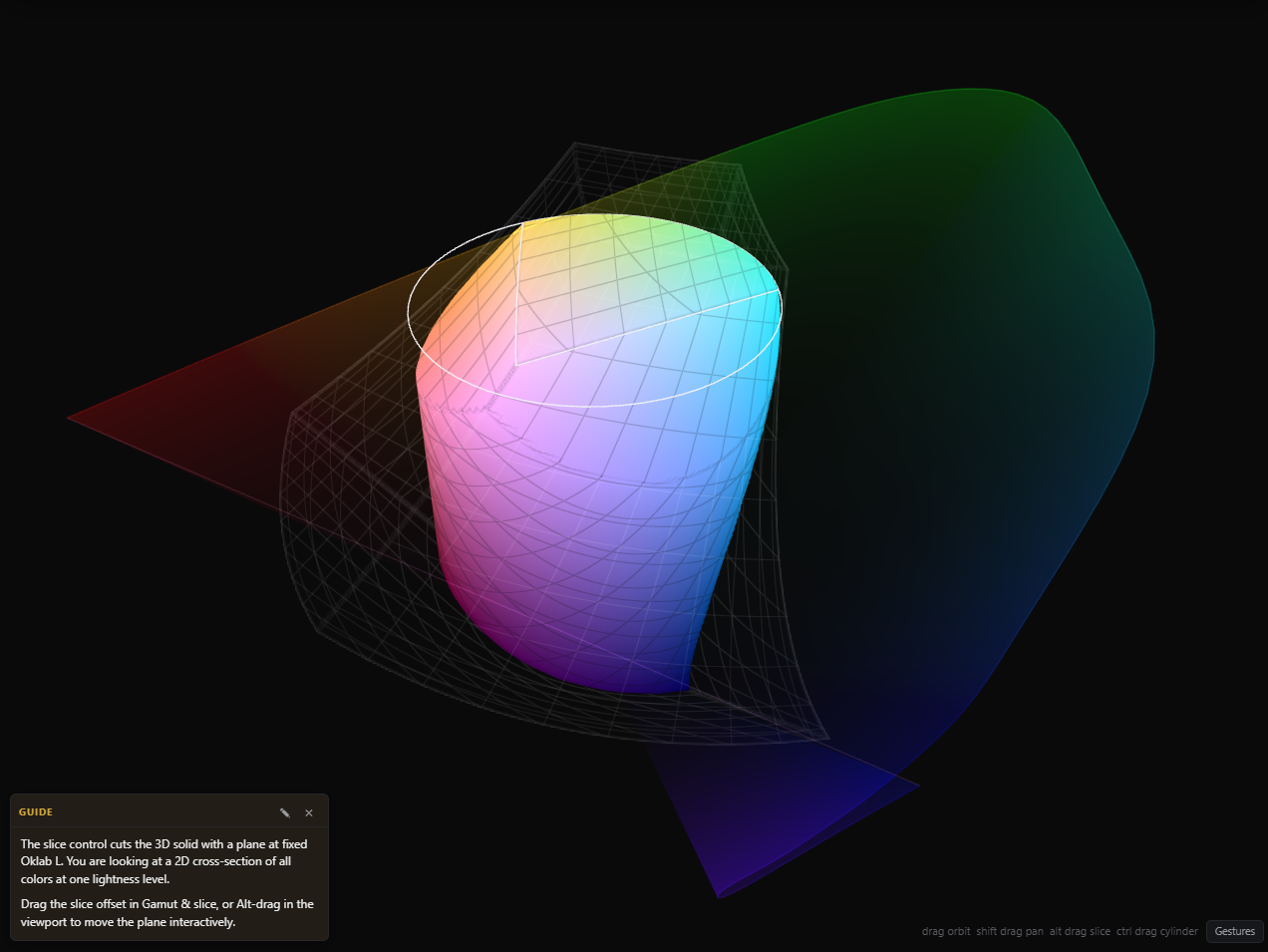
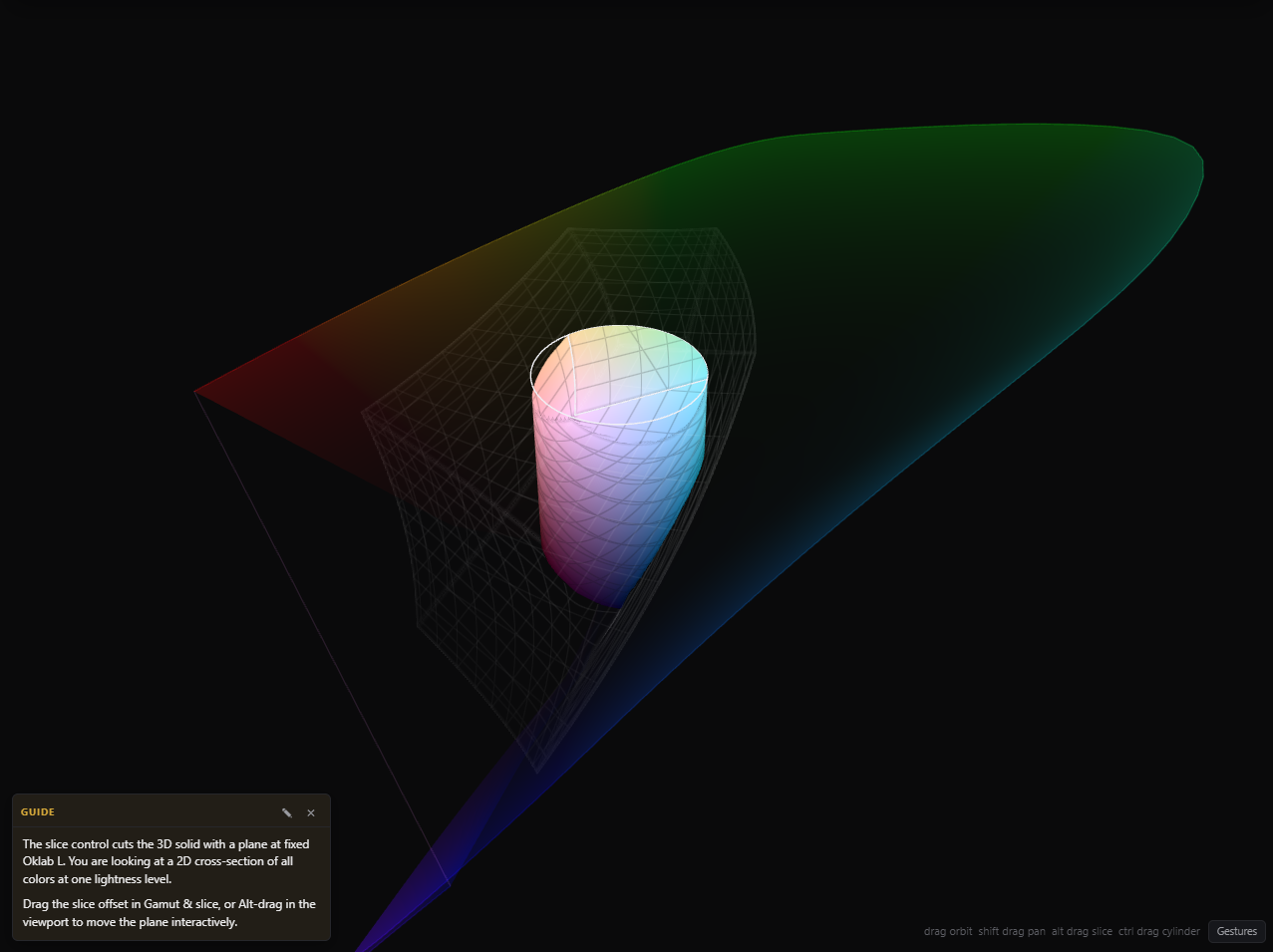
- Arbitrary slicing and cylindrical cutaways for inspecting cross-sections of color spaces.
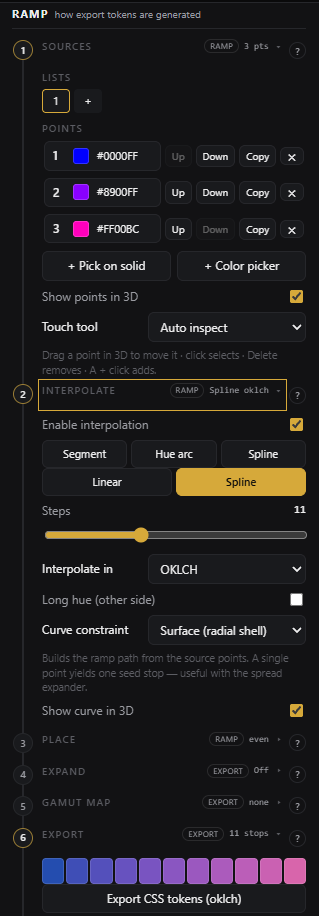
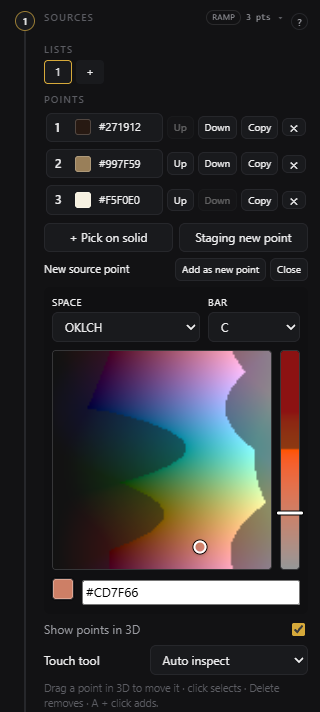
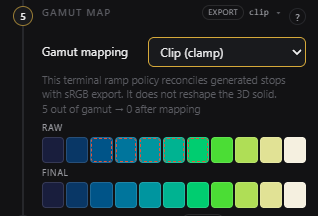
- Per-list ramp pipeline — each source list owns interpolate / place / expand / constraints; shared terminal gamut map; OOG badges and diff preview; CSS/DTCG export.
- Document sharing — client-side Save, Share (link · JSON · hash), and Import without a backend.
- Accessibility as product surface — keyboard affordances, light/dark theme, neutral viewport backdrop, readability preferences, and CVD simulation.
Development timeline
Color Lab started from older Svelte/Rollup shader experiments and a 2020 instanced-rendering
prototype, then was rebuilt in June 2026 as a SvelteKit application. June 9–12 brought core
WebGL architecture, deployment, mobile interaction, pipeline-driven palette controls,
multi-list editing, tutorials, and undo/redo. June 13–16 added observer registries, per-list
pipelines (schema v13), document sharing, pipeline rail navigation, Bradford CAT, light theme,
open-source release discipline, and public beta tags 1.0.0-beta.1 and 1.0.0-beta.2.
Technical notes
The local git history reviewed for this case study contains ~284 commits across all branches, with the concentrated SvelteKit rebuild spanning June 9–16, 2026.
Tradeoffs
- WebGL2 first — broad browser availability now, with renderer isolation that leaves a WebGPU path open later.
- Oklab as practical default — CIELAB remains available for comparison, but modern perceptual ramp work centers on Oklab/OKLCH.
- Pipeline over magic — users see each palette stage instead of receiving a black-box generated answer; per-list pipelines trade simplicity for debuggability.
- Active-colorspace gamut map — sRGB analytic path today; generic target-gamut solver deferred.
- Client-side share links — full snapshots in URLs/JSON instead of a collaboration backend; private by default.
- Beta document schema — rich snapshots enable deep sharing; migrations may
continue until
1.0.0.
Outcomes
Color Lab is a live public beta that demonstrates real-time browser graphics, observer-aware colorimetry, per-list palette pipelines, shareable documents, release-gate discipline, and teaching-oriented UX. Its strongest signal is not that it is a color picker; it is that a graphics-heavy, math-heavy browser system can remain explainable, inspectable, and usable.
Direction
Color Lab is on an explicit Beta → RC → 1.0.0 release track. Phase A pre-beta
gates completed at 1.0.0-beta.1; ongoing beta polish continues toward a stable 1.0.0.
Near-term engineering themes include:
- Color-space roles — Active gamut vs world space vs Display gamut; future global Color Context UI.
- Display gamut preferences — calibrated profiles in
localStorageand Explorer display-mapping. - Compositor workflow — PNG ramp strip export for Resolve, TouchDesigner, Resolume, Fusion.
- Integrator formats — compact ramp interchange JSON and optional npm-installable color engine.
- UX polish — glyph-width responsive breakpoints; gamut-map raw/final swatch preview; direct xy picking.
WebGPU, HDR, and spectral intensity volume overlays remain research or deferred — named in design docs, not promised on the beta track.